Multiple accounts, one calm view
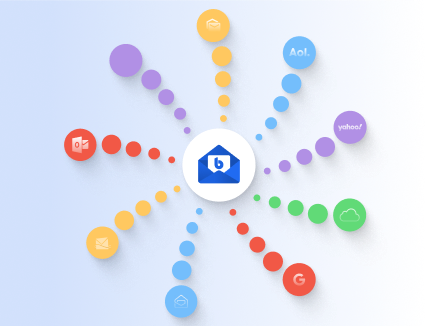
BlueMail brings your inboxes together across providers so you can focus on what matters. Jump between accounts quickly or handle everything from one streamlined view.

All-in-One inbox control
Connect IMAP, POP3, Exchange, and Office 365 accounts in minutes. BlueMail keeps each mailbox organized while letting you act on conversations across accounts in one flow.
Unified Special Folders
Unified folders go beyond the Inbox. BlueMail keeps Drafts, Sent, Trash, Spam, Outbox, and Archive aligned so you can act on mail across accounts without switching context.


Stay on top, not on alert
A unified inbox reduces the mental load of managing multiple accounts. BlueMail keeps the signal clear while giving you the flexibility to focus on each account when needed.

Less switching
Handle more without bouncing between inboxes.

Faster triage
Sort, archive, and reply with fewer clicks.

Clear priorities
Spot what needs attention across all accounts.

One inbox
See every message in a single stream.

Smart folders
Unified Drafts, Sent, Trash, and more.

Quick filters
Focus on unread, flagged, or priority mail.

Device ready
Works seamlessly across desktop and mobile.
Unified Inbox vs. split inboxes
Choose the view that matches your day. Here’s how a unified inbox compares with managing each account separately.
Unified Inbox
- Single stream across all accounts
- Unified folders for faster cleanup
- Fewer switches between mailboxes
- Great for high-volume days
Split inboxes
- Separate views for each account
- Isolated folders per mailbox
- More switching to stay current
- Useful for deep account focus
Works with the providers you already use
Connect Gmail, Outlook, Exchange, Office 365, Yahoo, and any IMAP or POP3 provider. BlueMail keeps every account in sync while letting you choose how each one behaves.
- Exchange & Office 365
- Gmail & Google Workspace
- Outlook.com & Yahoo
- IMAP & POP3 providers
- Custom sync schedules
Everyday workflows
Keep personal and work accounts separate when you need to, then unify them when you want a single view.
Unified inbox questions, answered
Quick answers to the most common account questions.
Can I still view accounts separately?
Yes. Switch to any individual account whenever you want.
Does it work with Exchange and Office 365?
Absolutely. BlueMail supports Exchange ActiveSync and Office 365 accounts out of the box.
Can I customize notifications per account?
Yes. Configure sync and notification settings for each mailbox.
Unify your inbox without losing control
Explore more BlueMail features or download the app to start managing all your accounts in one place.