BlueMail Calendar
Schedule, share, and stay on time without leaving your inbox. BlueMail Calendar keeps every event synced across your accounts and devices, so your day is always up to date.

Balanced Schedule
Switch between day, week, and agenda views to plan with clarity. Create reminders in seconds and keep priorities in view with a clean, scrollable timeline.
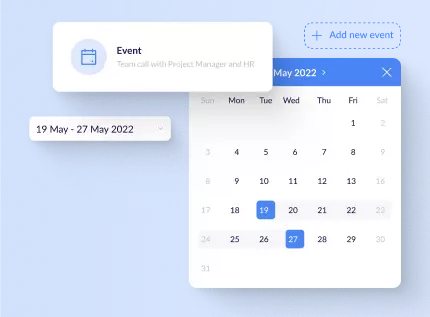
Perfectly Synchronized
BlueMail Calendar works with Exchange ActiveSync, Google, and CalDAV accounts, and it supports .ics invites so meetings are always in the right place.


Built for everyday planning
Keep personal and work schedules clear with a calendar that stays organized, consistent, and easy to scan.
Unified calendars
View every account together or focus on a single mailbox.
Invites & RSVPs
Accept, decline, or propose new times right from your inbox.
Reliable reminders
Customize alerts so meetings never slip through the cracks.
Time zone clarity
Keep teams aligned with clear time zone handling for events.
Helpful at a glance
BlueMail Calendar brings visibility to busy days without adding clutter. See upcoming meetings, plan focus time, and keep shared schedules aligned.
Clear priorities
Quickly spot overlaps, deadlines, and open time.
Fewer missed updates
Invites and changes stay synced across devices.
Calmer scheduling
Use agenda, day, or week views that match your flow.
All accounts
See every calendar in one place.
Fast reminders
Stay ahead of meetings and changes.
Flexible views
Day, week, and agenda at a tap.
Shared schedules
Coordinate with teams and families.
Works with the calendars you already use
Sync Exchange ActiveSync, Office 365, Google Calendar, Outlook.com, and any CalDAV provider. Import .ics invites and stay aligned as events change.
- Exchange & Office 365
- Google Calendar
- Outlook.com
- CalDAV providers
- .ics invitations
Everyday workflows
Coordinate meetings, share availability, and keep personal and work calendars separate without switching apps.
Calendar questions, answered
A quick overview of what BlueMail Calendar supports today.
Does BlueMail sync multiple calendars?
Yes. Connect as many accounts as you need and manage them together or separately.
Can I manage invites and RSVPs?
Respond to invitations, update attendance, and keep reminders in sync across devices.
What platforms are supported?
BlueMail works across iOS, Android, Windows, Mac, and Linux so your schedule stays connected.
Plan faster, meet smarter
Learn more about BlueMail Calendar or download the app to get started.